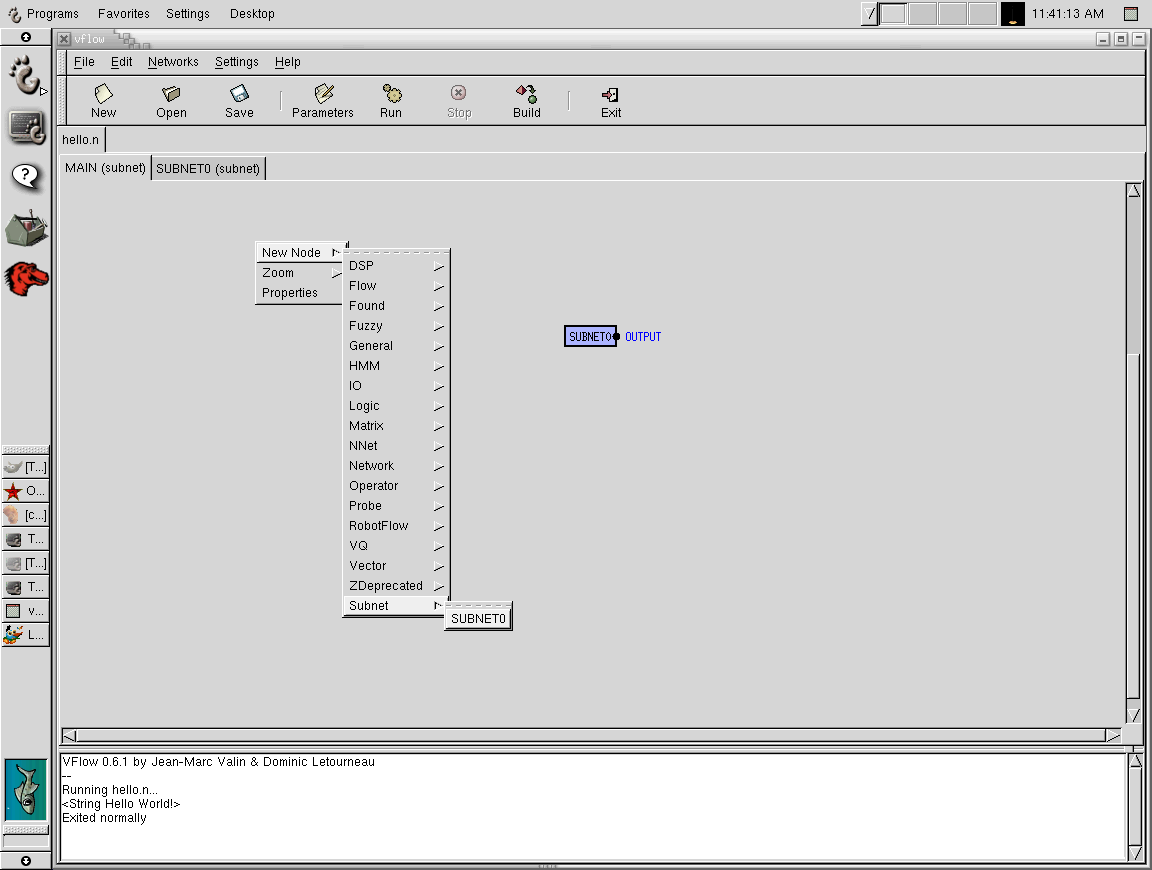
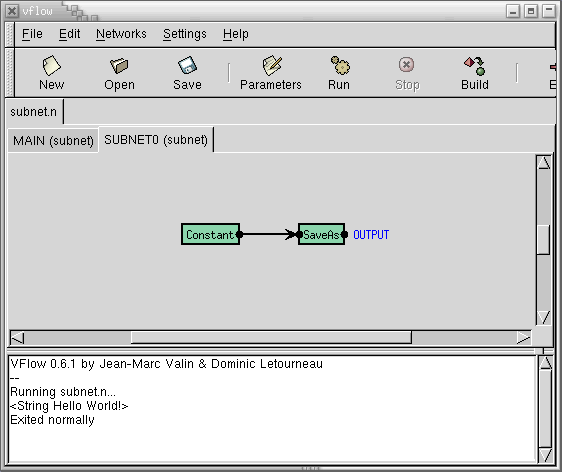
As mentionned earlier, every "program" contain a network called "MAIN", which is equivalent to the main() function in a C program. However, you can add more sub-networks (equivalent of sub-routines) from the main menu (Networks->Add Network) that can contain several nodes connected together. That way, You simplify programming and you can reuse those networks as subnets in a higher level network. It is very important to name the newly created network a different name than "MAIN" for obvious reasons. Those networks must absolutely have "named" inputs and outputs in order to be used in higher level networks as explained in the previous section. To add sub-networks into a network of higher level, right-click on the background and select the sub-network you want to add from the menu (New Node-> Subnet).
Note that you can try out this program by clicking on the open icon and select: FreeSpeech/examples/subnet.n .
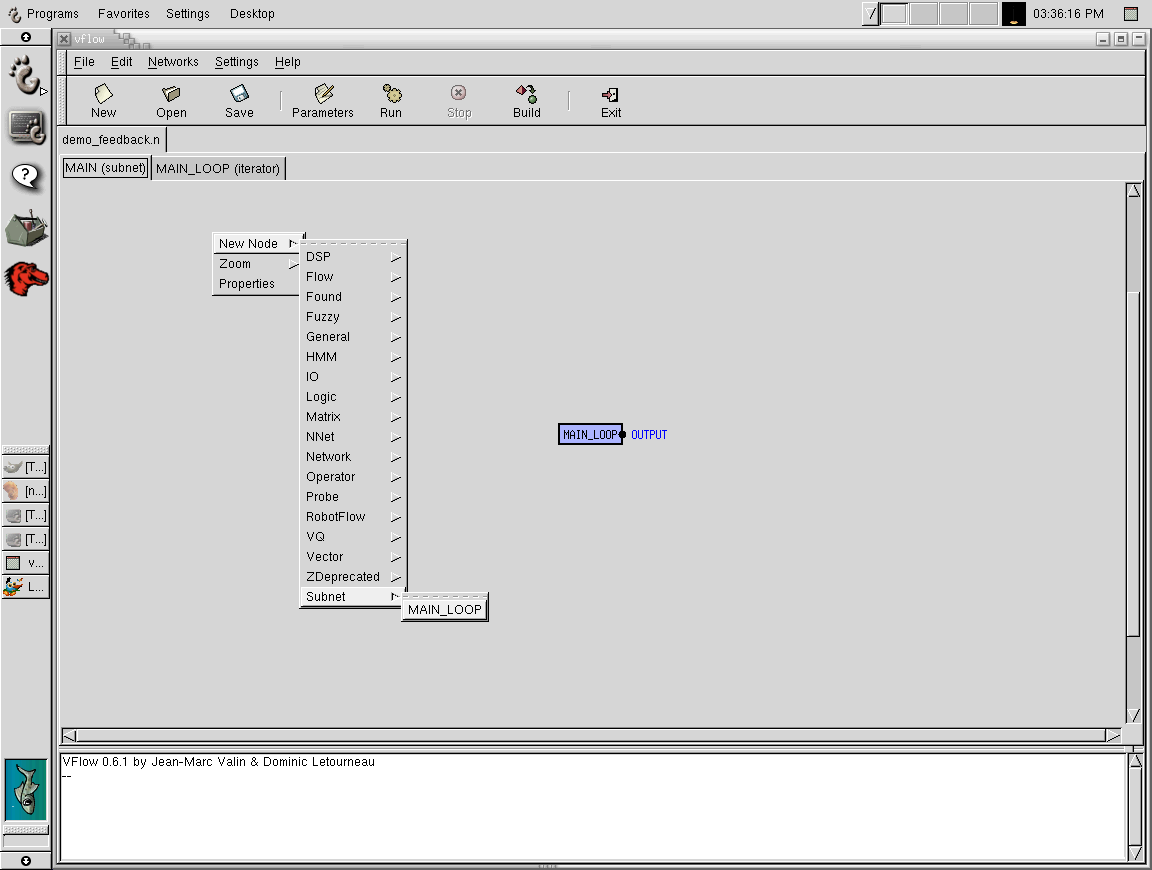
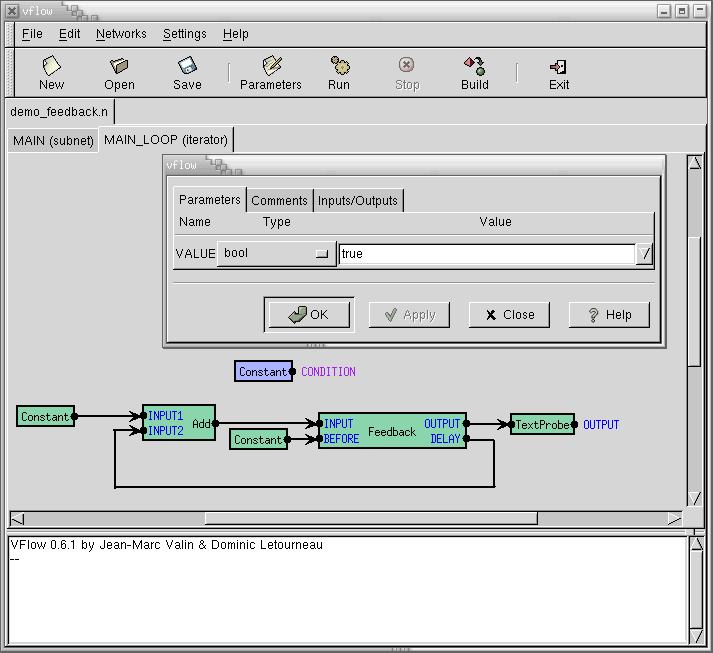
Another useful type of network you can create is the Iterator (main menu Network->Add iterator). An iterator, is a control structure that performs a loop. It stops looping when a certain "control condition" is met. The condition is a boolean value the iterator gets from a node. To define the iterator's condition, left click on a node output while holding the CONTROL (or ALT) modifier. Note that there is a bug in some versions of gnome for which CONTROL does not work with the canvas, so you'll have to use ALT.
Note that you can try out this program by clicking on the open icon and select: FreeSpeech/examples/demo_feedback.n .
For now, Threaded Iterators are experimental. They are a special kind of subnets that provide a different level of multi-threading. You should not use them, unless you REALLY know what you are doing.